Resources
How to nail the audition.
Here are some practical self-tape guidelines. Please note that, if needed, specific adaptations & accommodations related to your disability are acceptable and encouraged.
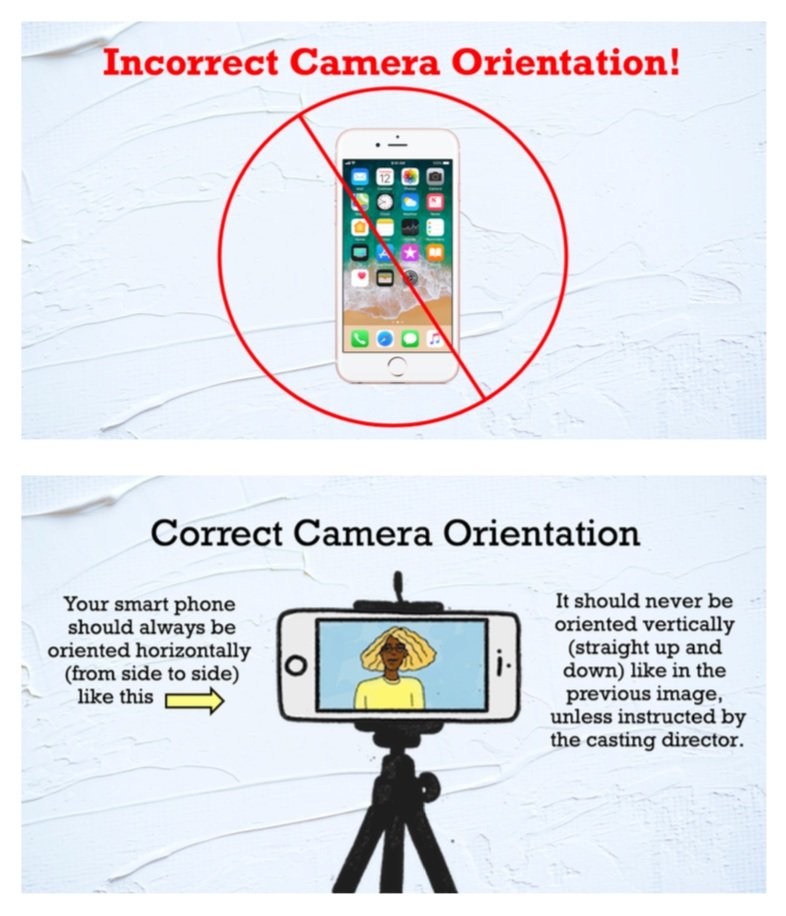
1. Camera Orientation
Record in landscape unless the casting instructions explicitly ask for something else.
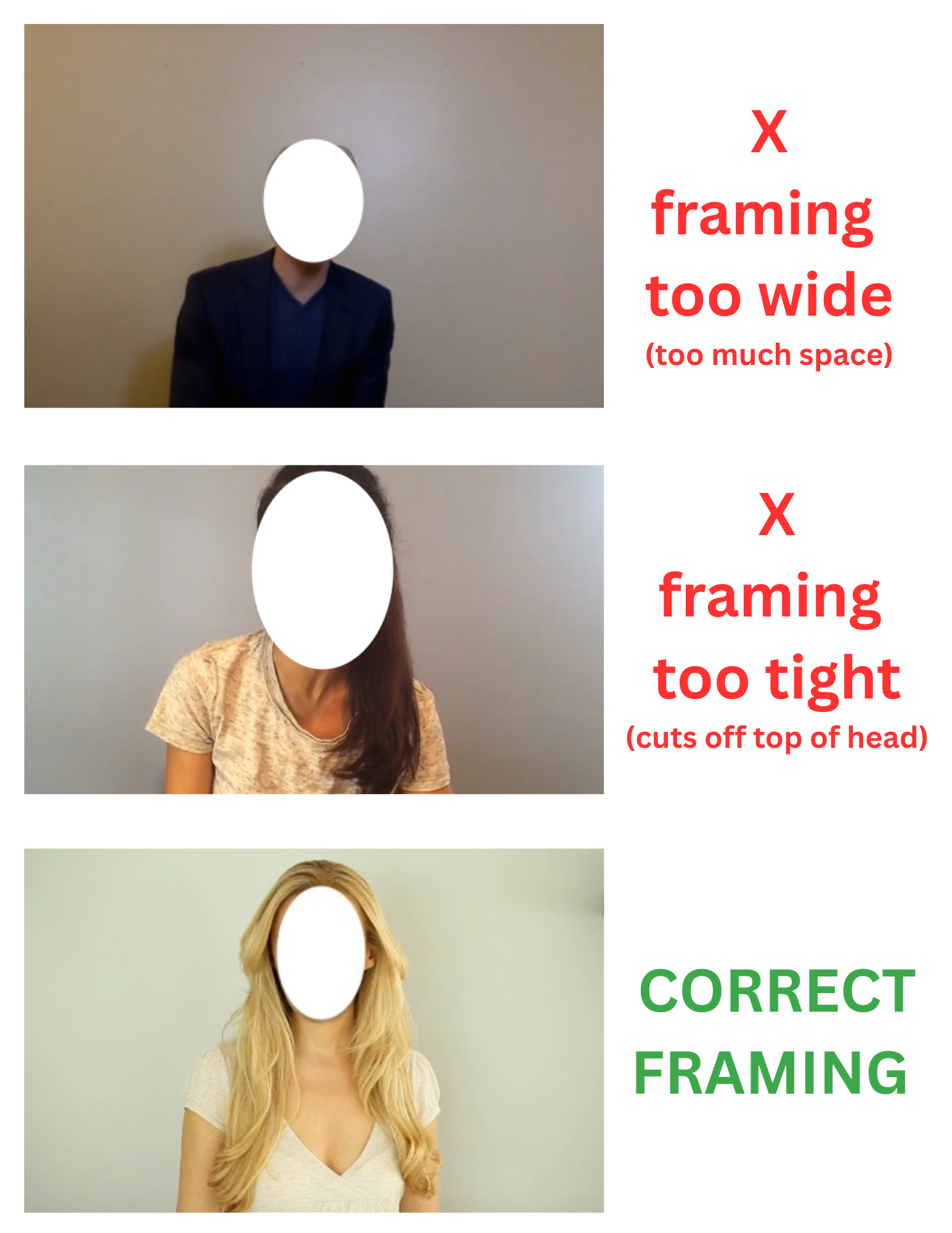
2. Framing
Keep your recording device directly in front of you and frame yourself cleanly so casting can focus on your performance.
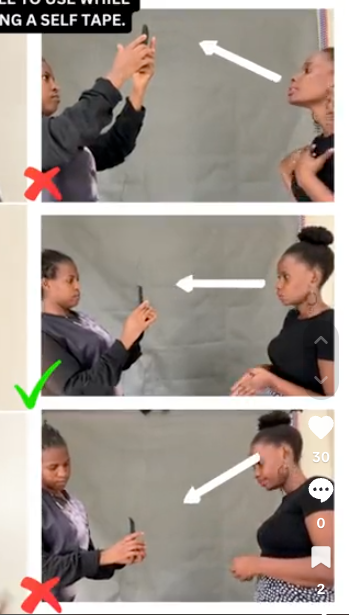
3. Camera Angle
Your recording device (whether it is a smartphone, computer, or video camera) should be positioned at eye level, so that you’re not looking up to your camera or down at your camera. It should also not be positioned too far to the left or right of you.
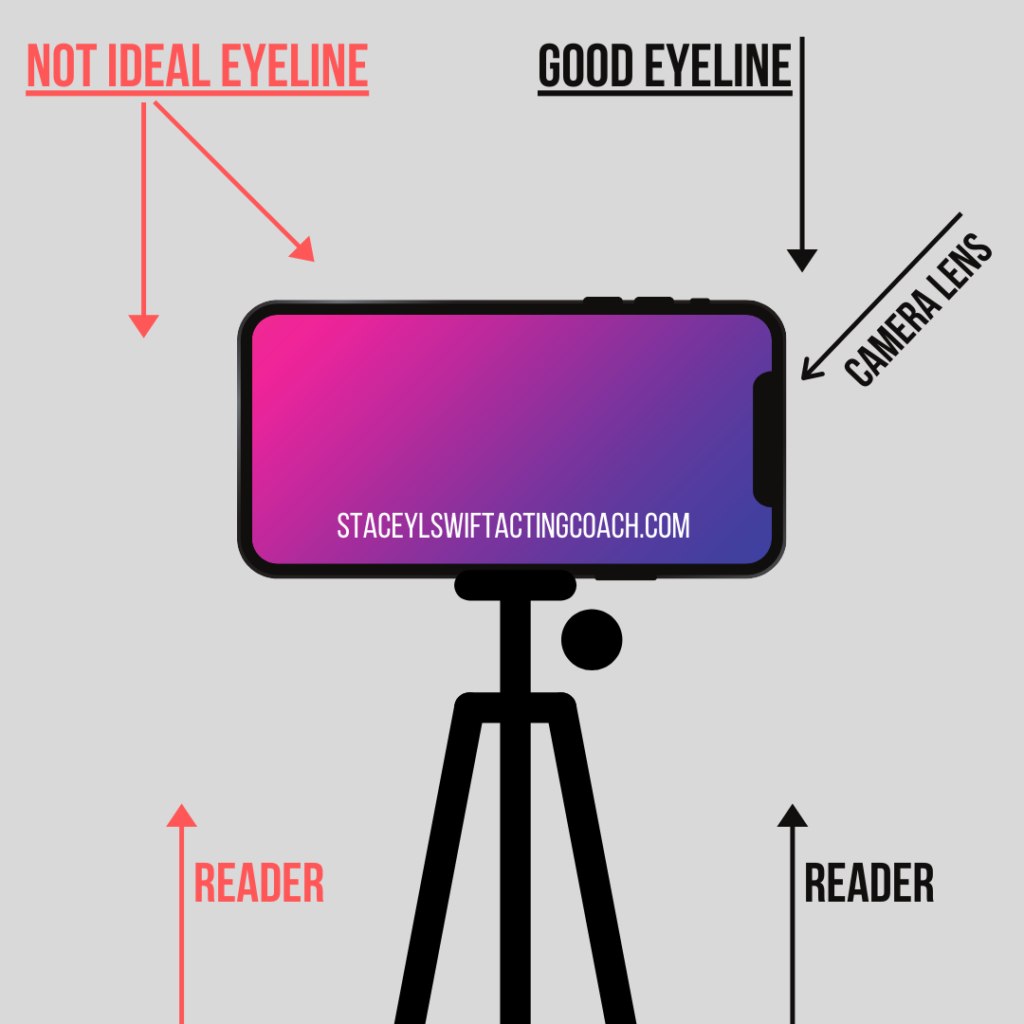
4. Eye Line
Your eye line should be directly to the right or to the left of your recording device’s lens, which should be placed directly in front of you, as explained above in ‘2 - Framing’ and ‘3 - Camera Angle’. Do NOT deliver your lines into camera.
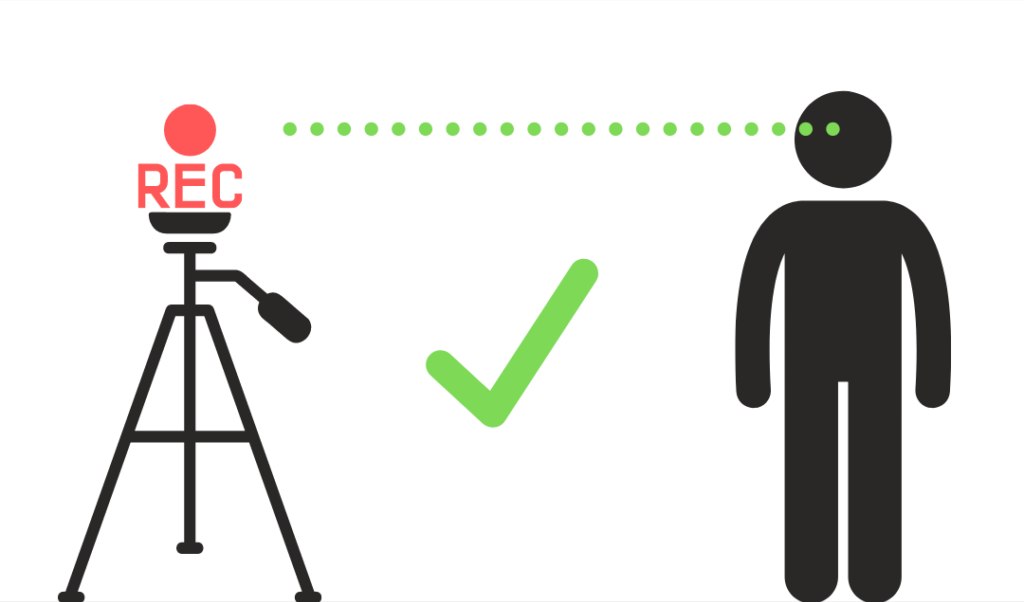
5. Tripod
Your recording device should be stationary and NOT handheld. If you do not own a tripod, mount, or stand for your device, create a secure location for your device to sit using household items such as books, etc.
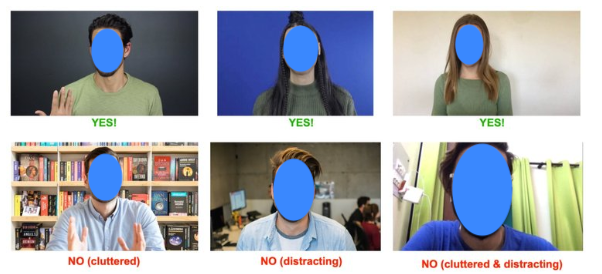
6. Backdrops
If possible, please record your self-tape in front of an uninterrupted, solid-coloured wall or backdrop.
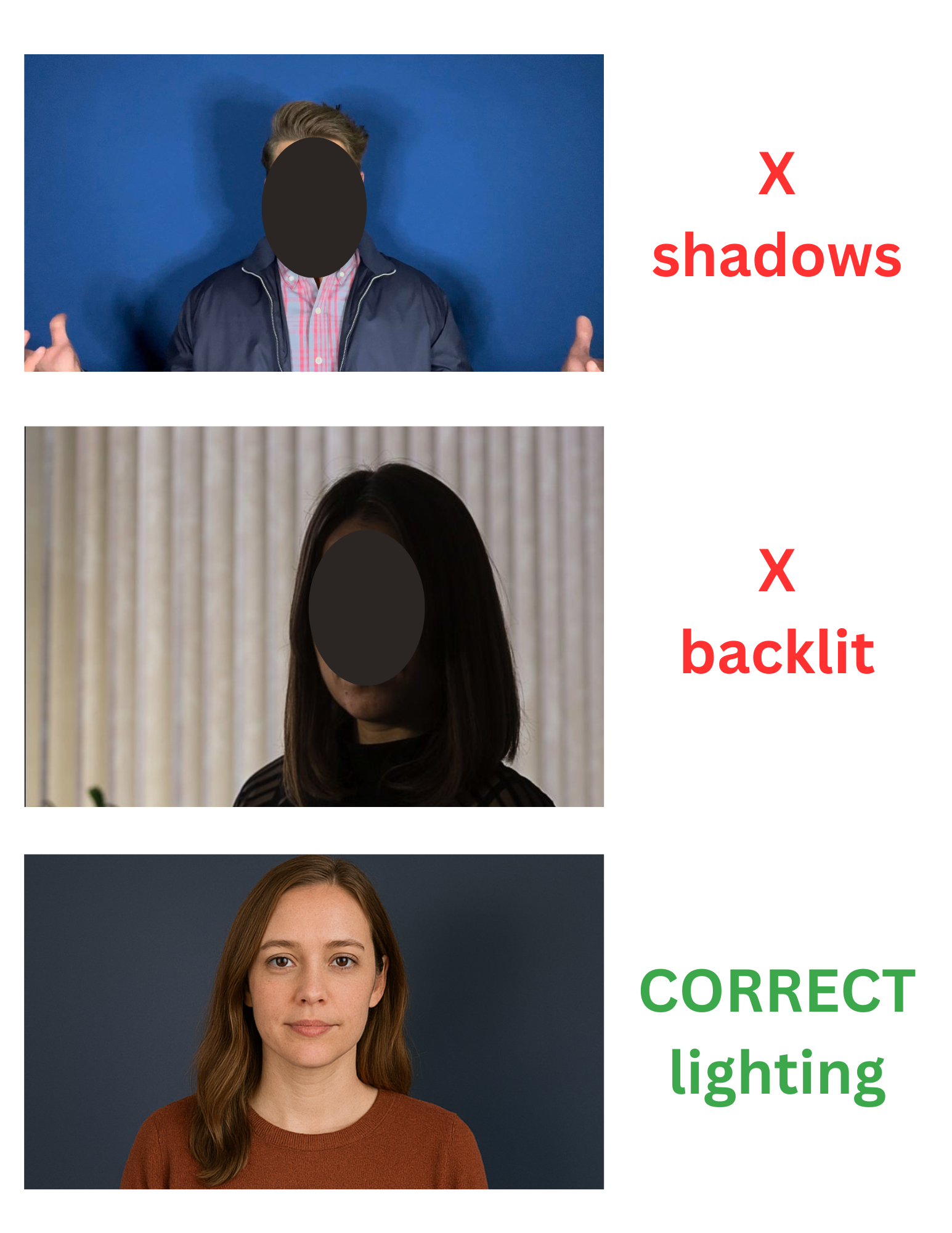
7. Lighting & Audio
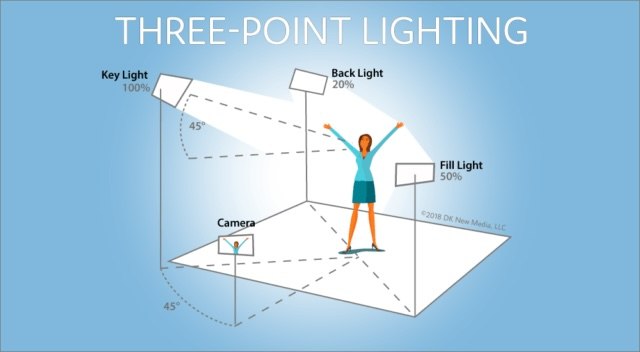
Do your best to avoid shadows. Do not tape standing in front of a window as you will be backlit and appear in silhouette. Ideally, you would invest in some soft-box or ring lighting, if possible. For audio, record in a quiet space with minimal background noise, and make sure your voice is clear, natural, and easy to understand without echoes, music, or distractions.
8. Shot Size
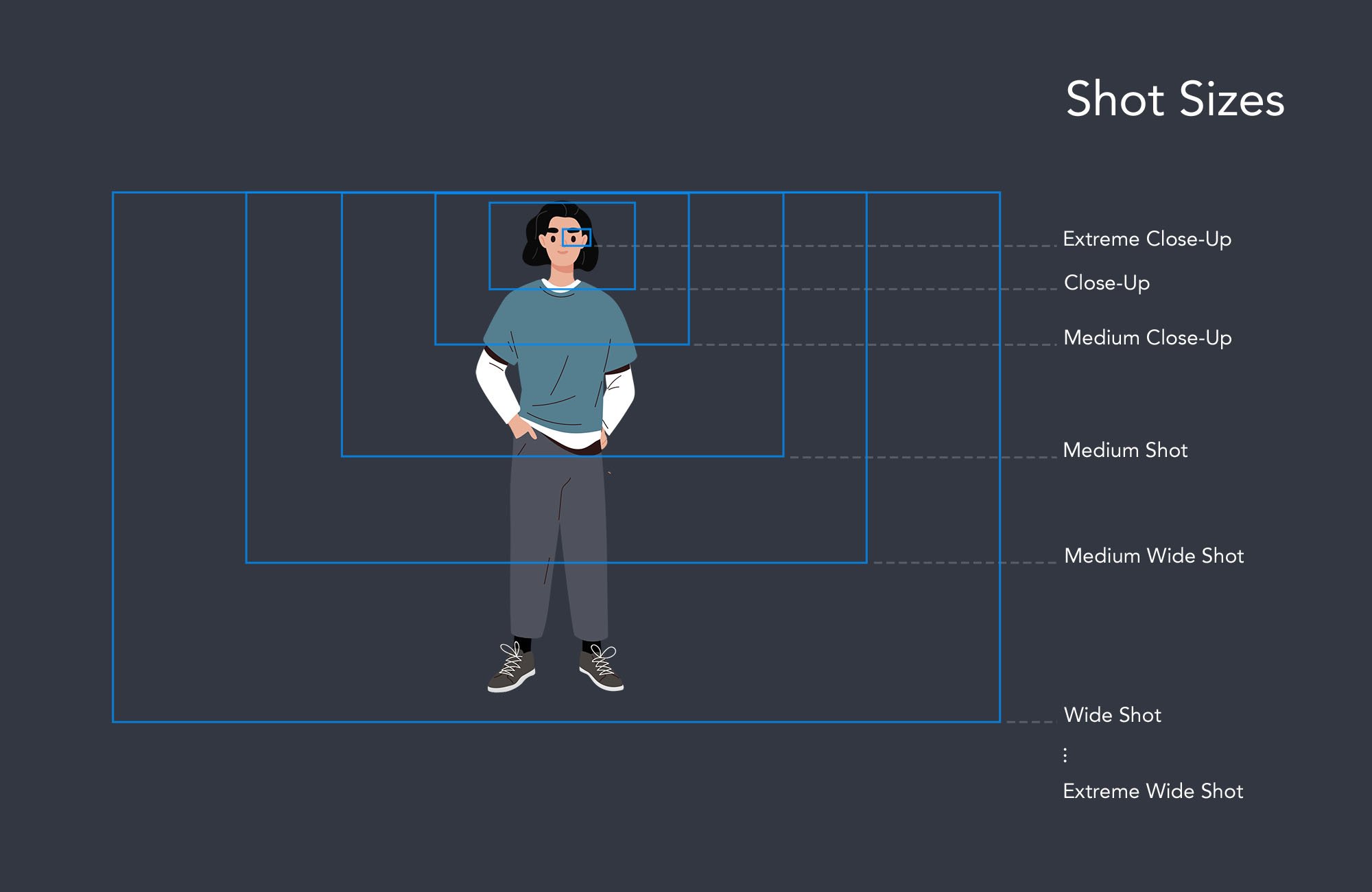
See this cheat sheet for guidance on shot sizes. NOTE: for people who use mobility aids, it may be best to choose a slightly bigger shot to showcase any mobility devices or prosthetics.
More Resources
Important Note:Many of the examples & resources above have not been created by Persons With Disabilities or with Disability in mind, so as mentioned, often adaptations or accommodations will need to be made depending on one’s access needs, which is always encouraged and accepted. Please see the Access Guide section below to learn more about how to create your own personal Video Access Guide to help casting understand your needs.
For practice TV, Film or Commercial scripts, please email kello@allhearttalent.com.